1. Till scans the card
- The customer shows their OneCard.
- Your till's barcode scanner reads it.
- The till sends the sale to OneCard through the POS API.
- Points are added and the receipt can print the new balance.
OneCard puts every local loyalty card in one app. Show one barcode at the café, the bakery and the barber, and each shop rewards you in its own way.
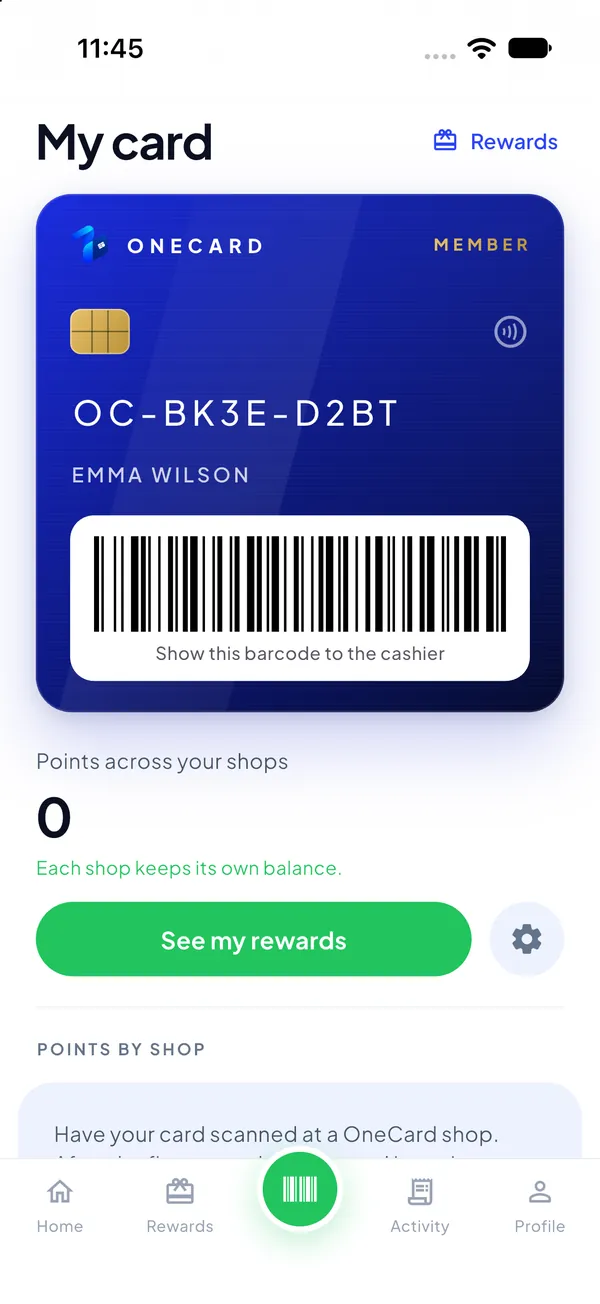
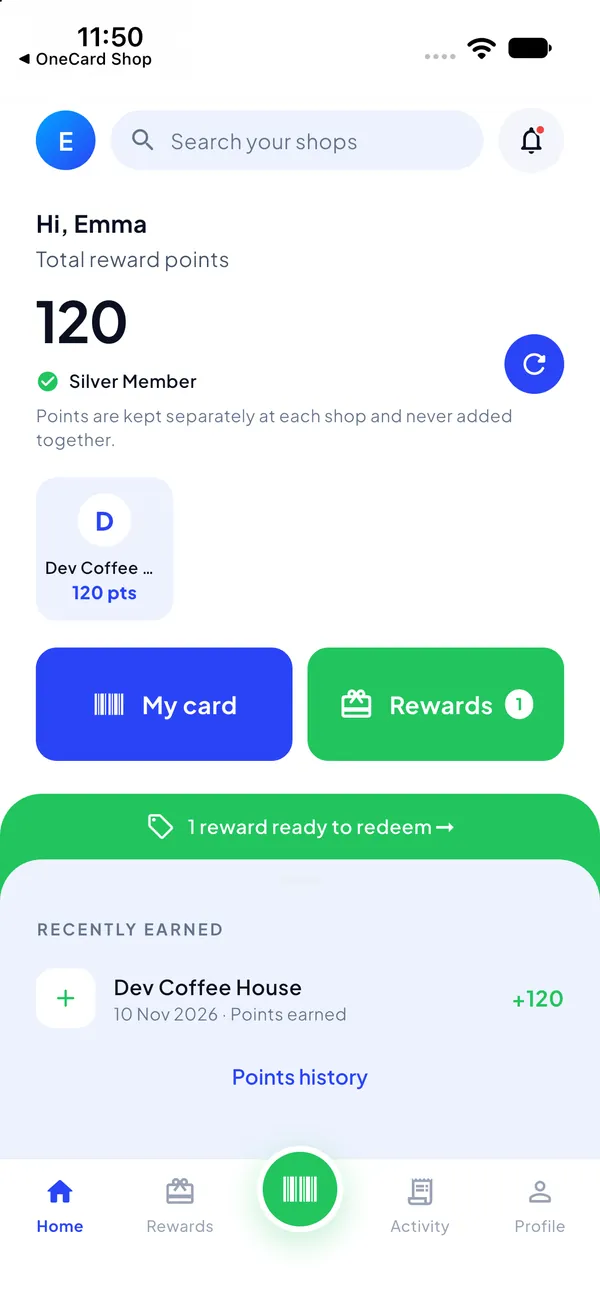
Customers carry one card. Shops keep their own customers, points and rewards.
Enter your UK mobile number and the 6-digit code we text you. Add your name, and your birthday and city if you like.
Your OneCard is a barcode in the app. Show it at any OneCard shop when you pay.
The first scan makes you a customer of that shop. Each shop keeps its own balance, all shown in your app.
When you have enough points the reward unlocks. Show your card at the till and the staff redeem it.
Download OneCard Shop, register your shop and invite your staff.
Choose how many points each pound earns, and create rewards such as "Free coffee at 100 points".
Scan a customer's OneCard with your phone or your till. The first scan adds them to your customer list.
OneCard calculates the points. See today's activity, customers and reports in the app.
Use whichever suits your counter. You can start with a phone today and connect your till later.
Waiting sales expire after 30 minutes.
Every shop keeps its own balance and rules. No shop can see or change another's.
A Code128 barcode that any standard scanner reads. It holds a card number, never personal details.
Customers sign in with a UK mobile number and a one-time code. No passwords to forget.
Create rewards like a free coffee at 100 points. Customers see what is ready and what is next.
Add products with their own points so best-sellers or new lines earn extra.
Owners invite managers and cashiers. Each role sees only what it needs.
Transactions, sales and points issued, with a Today dashboard for a quick look.
Shops see a customer's name, a masked phone number and their points with that shop. Nothing more.
Real screenshots from an iPhone 17, from sign-up to the first reward.
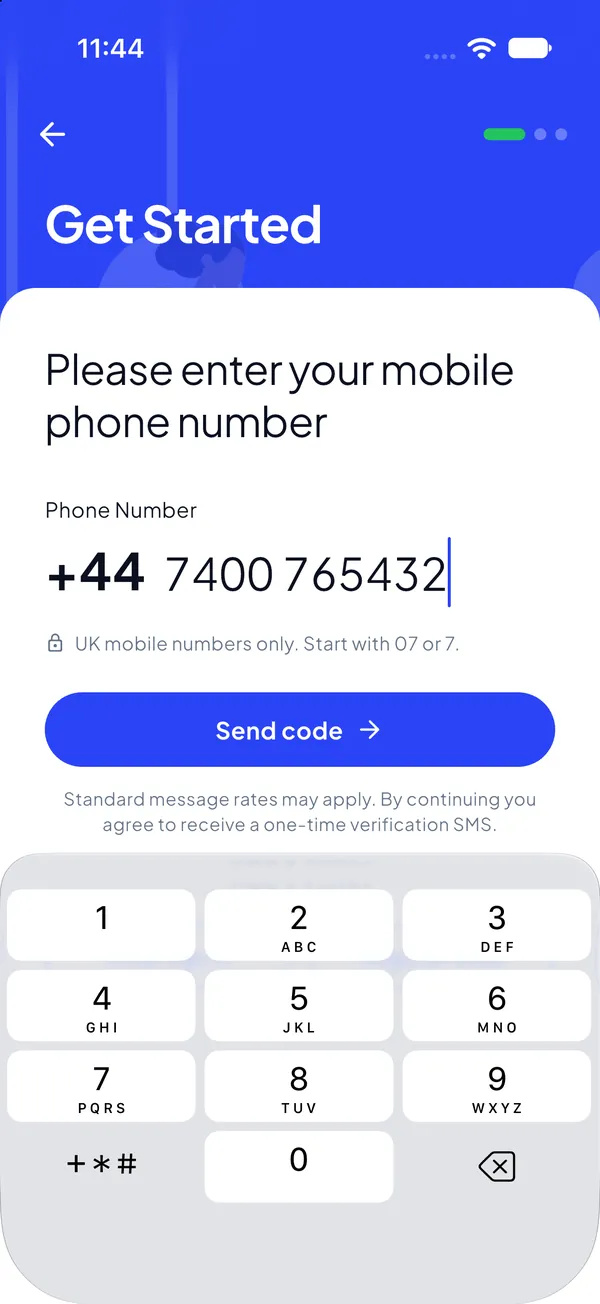
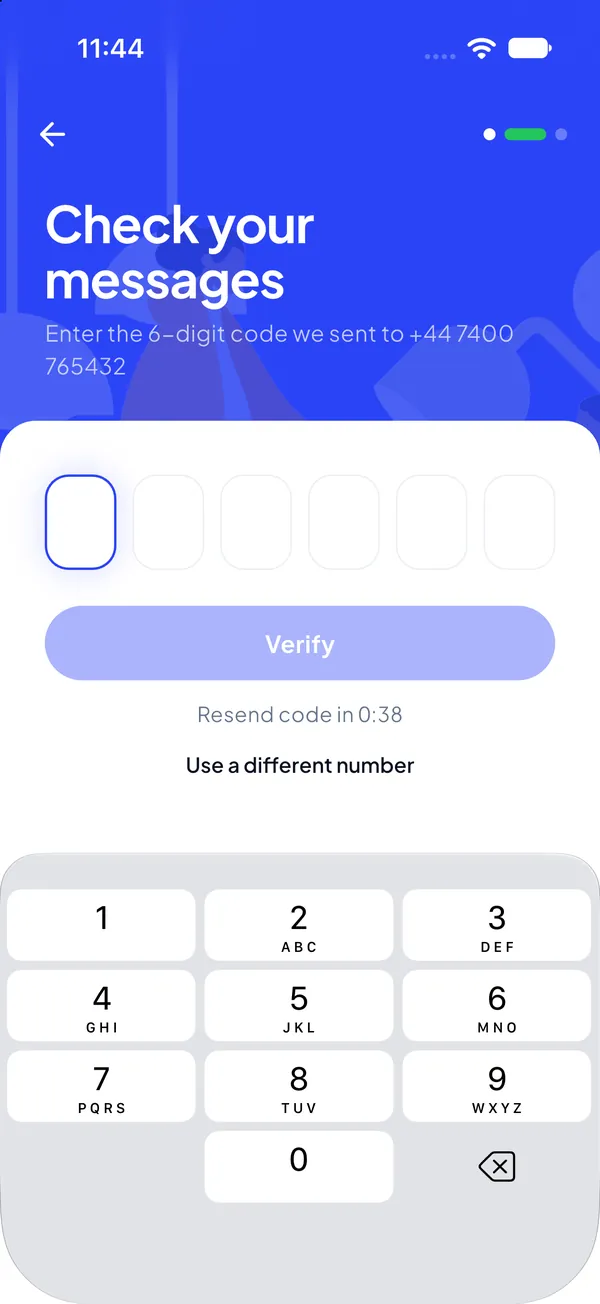
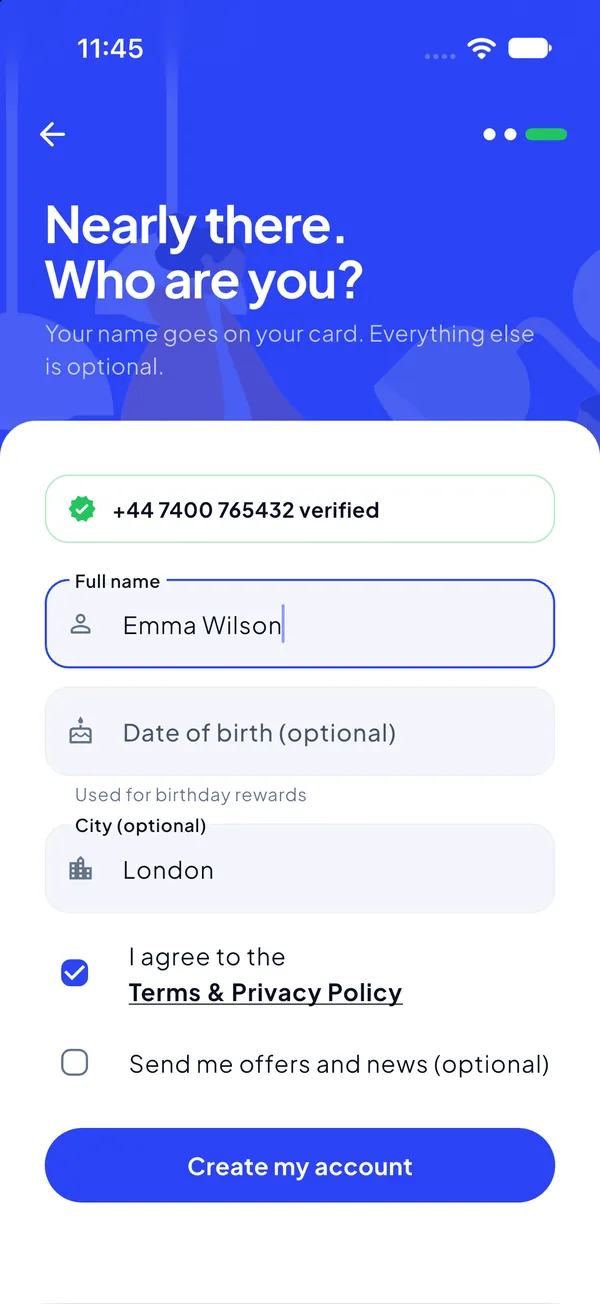
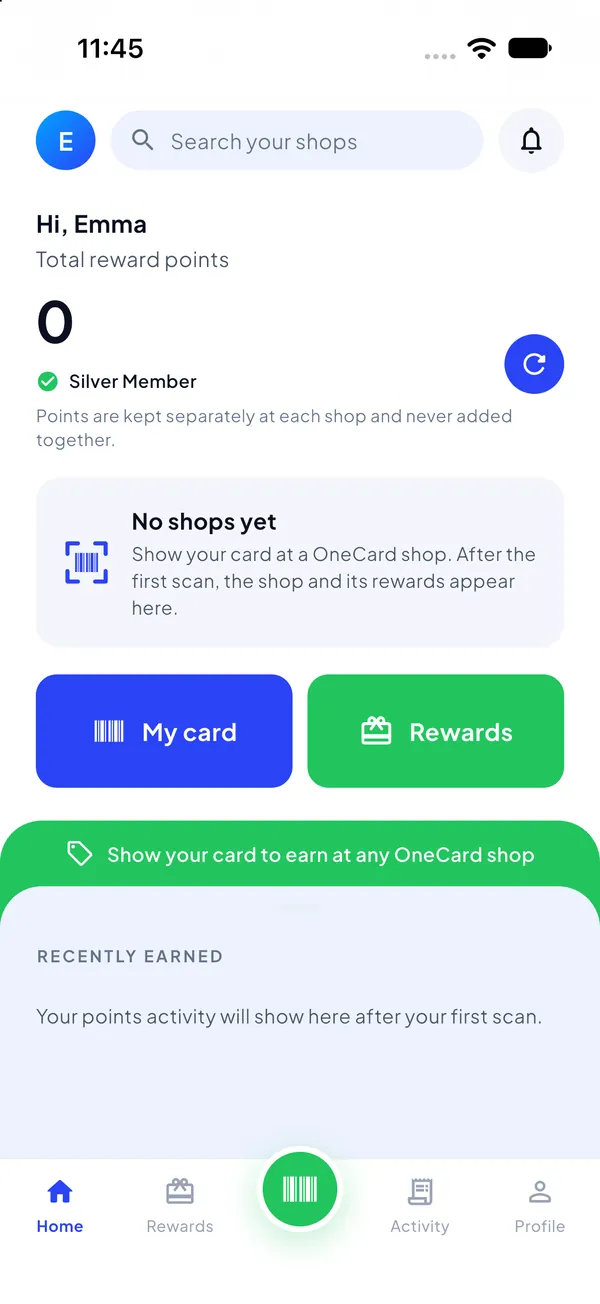
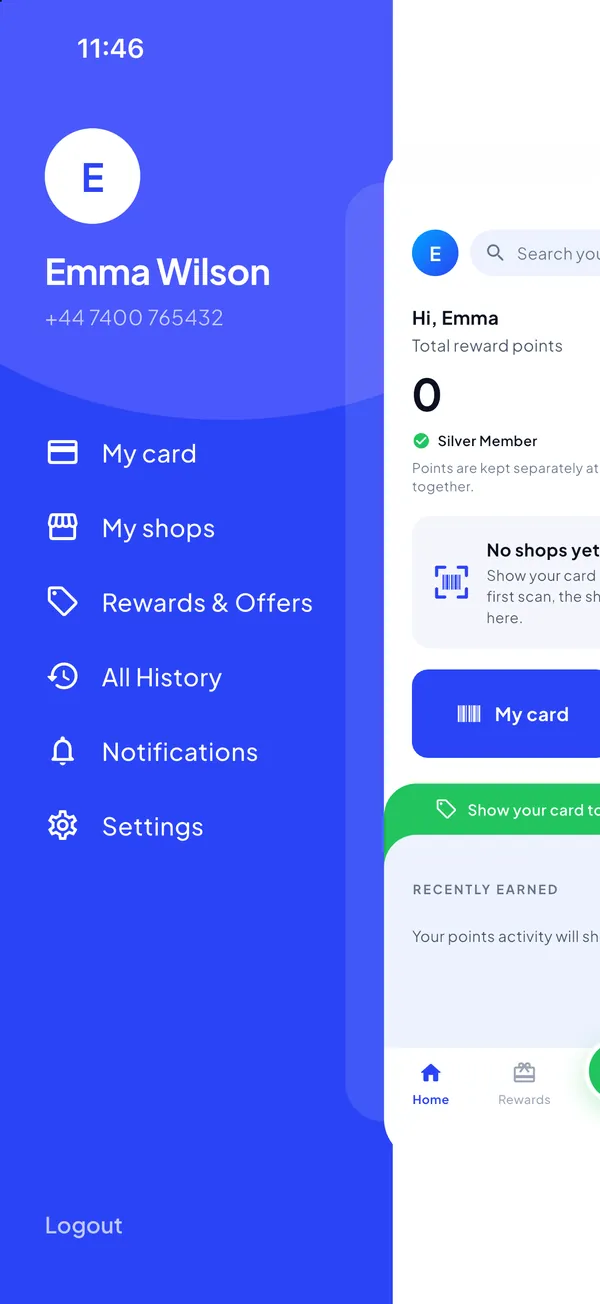
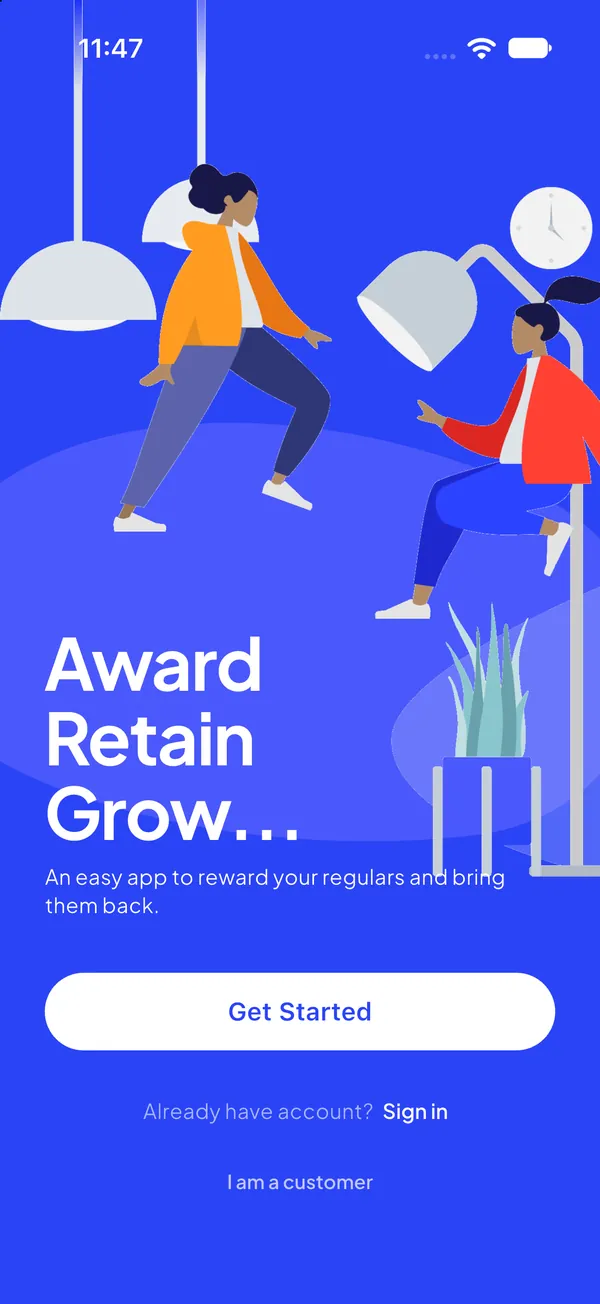
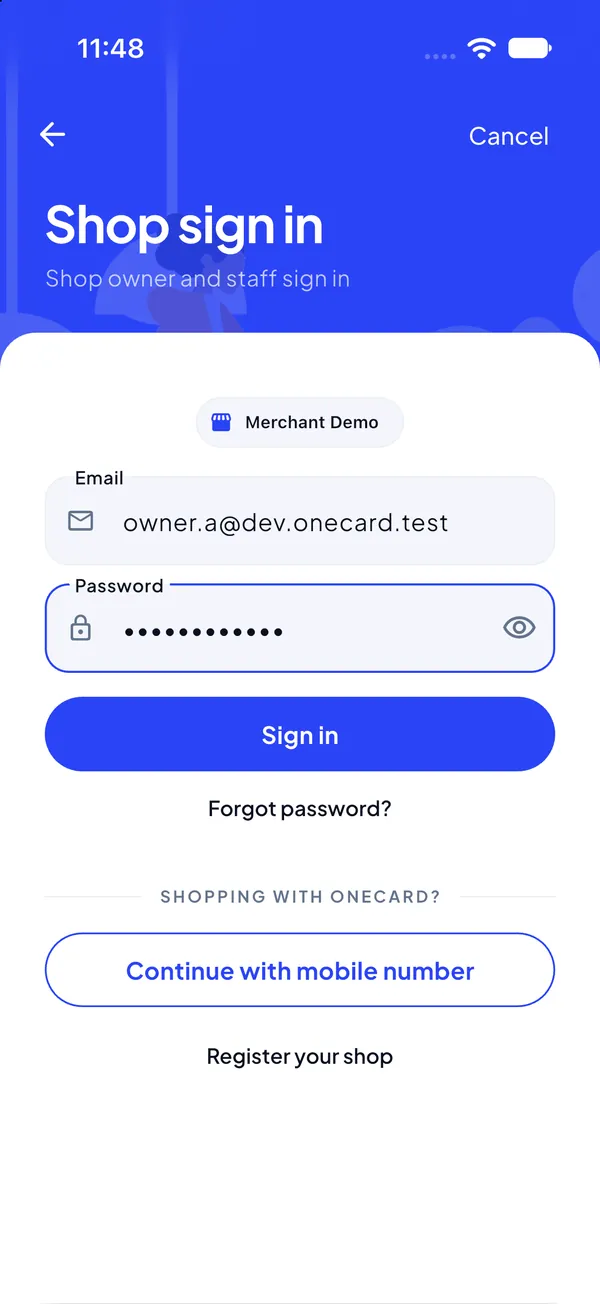
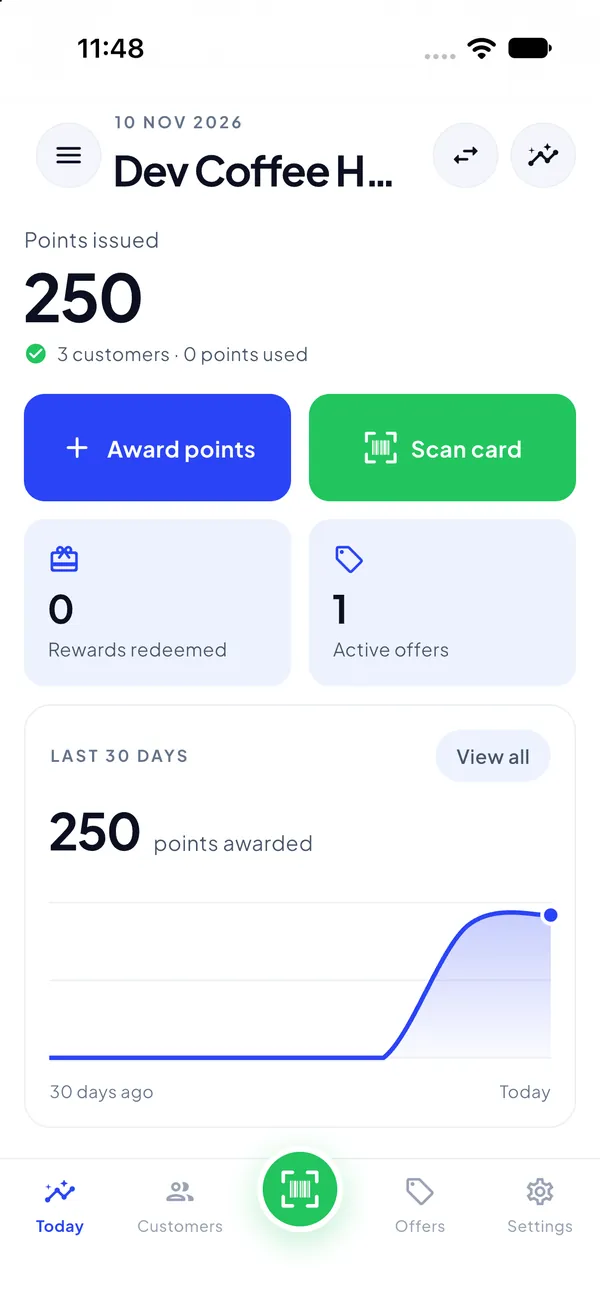
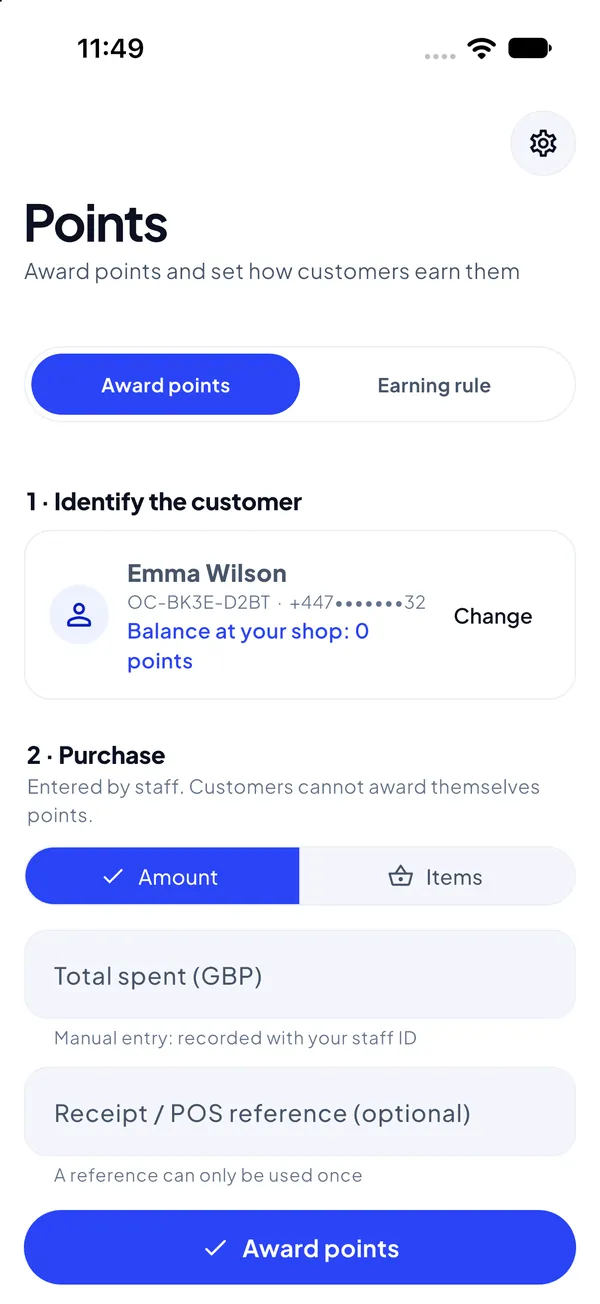
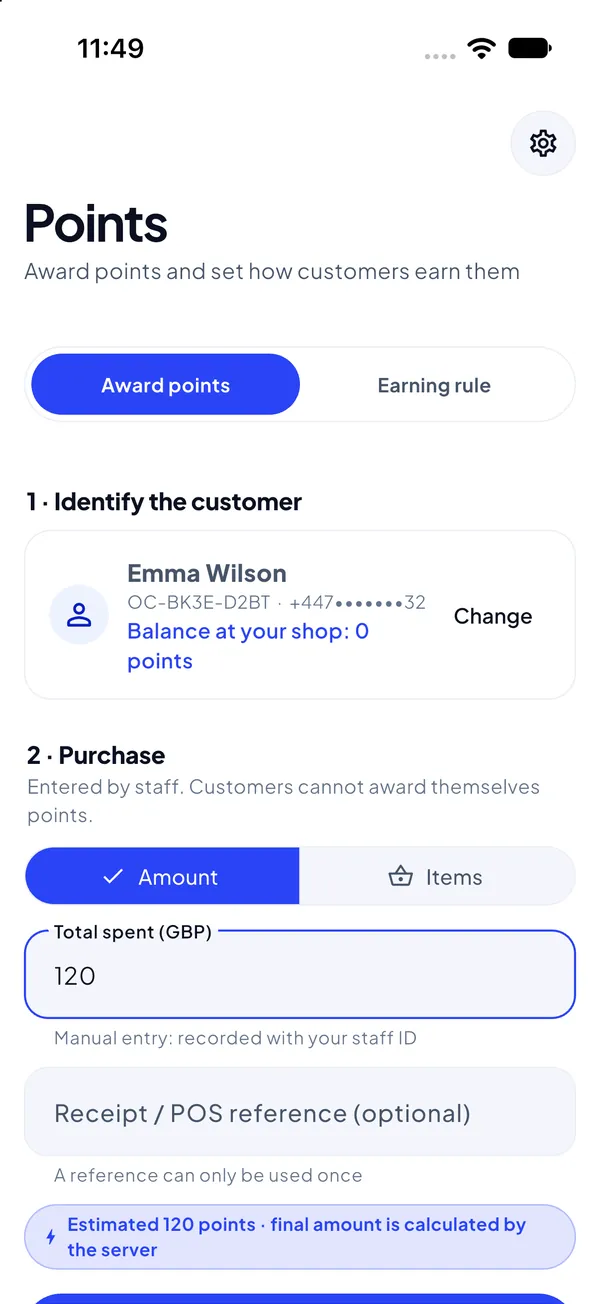
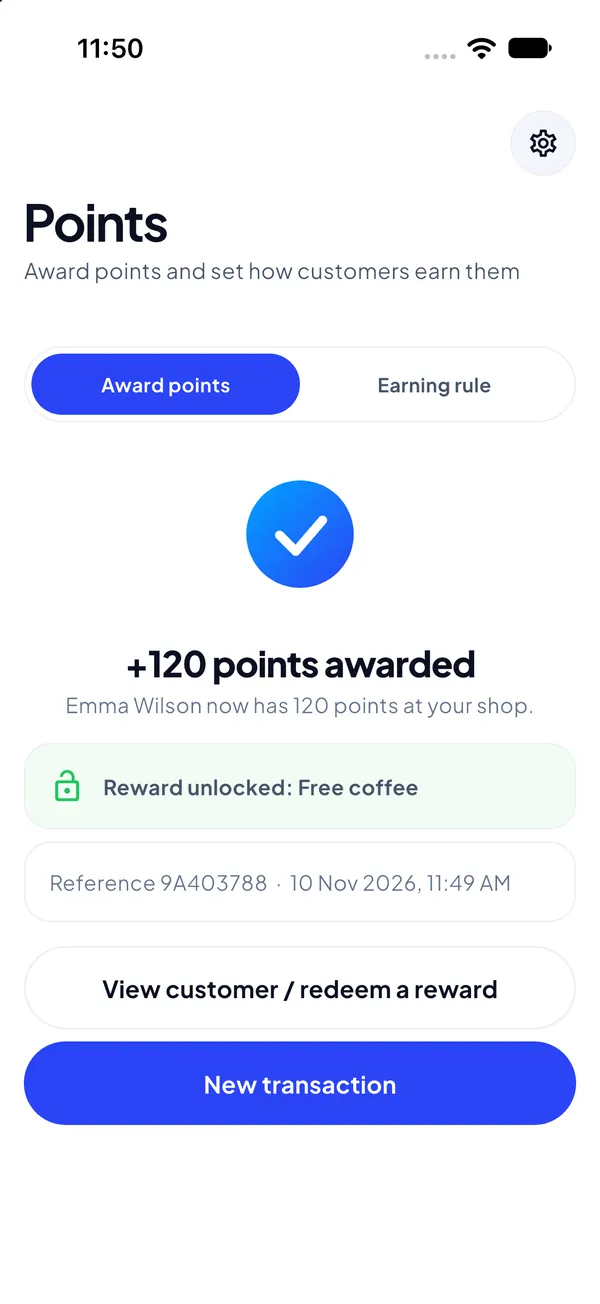
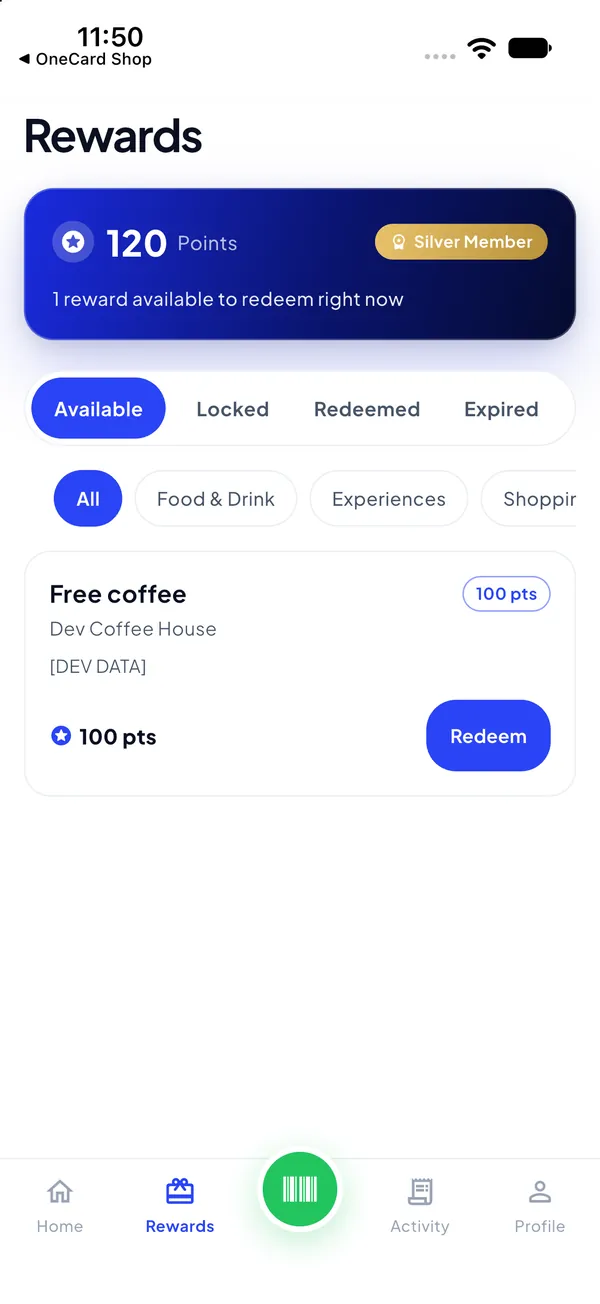
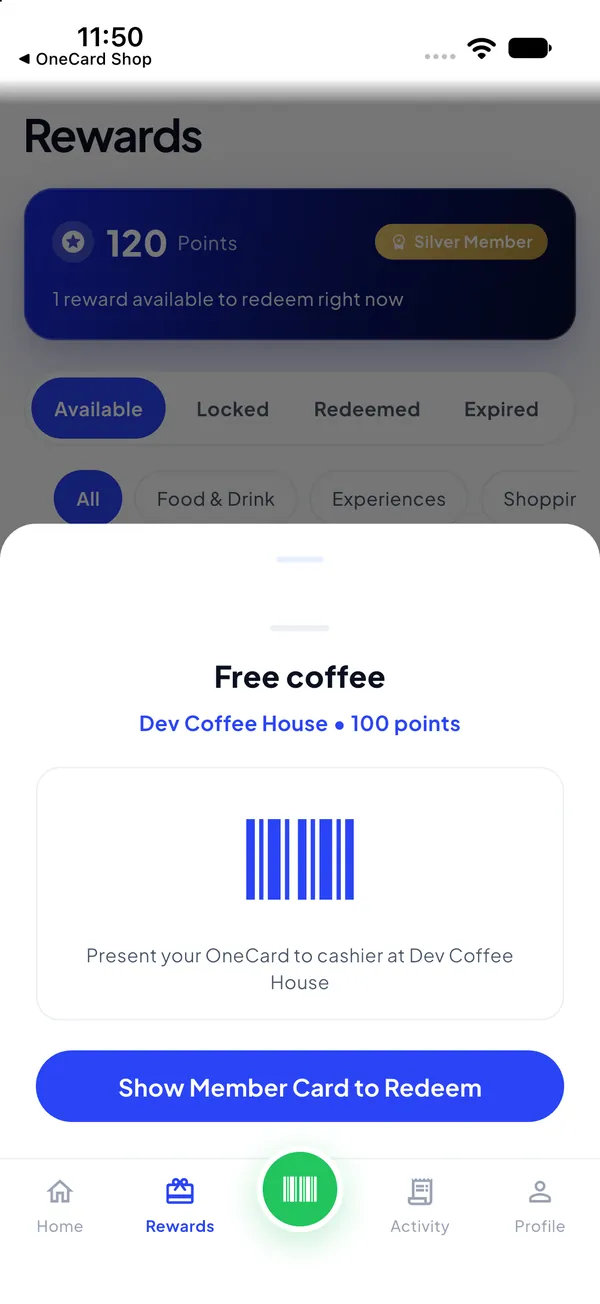
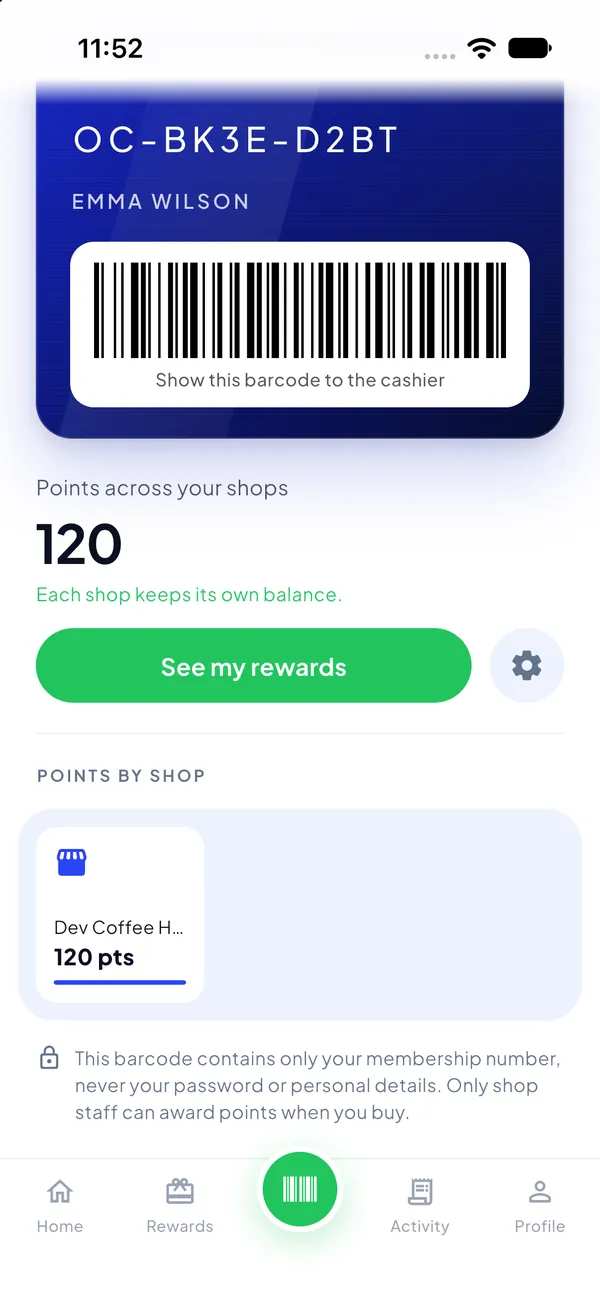
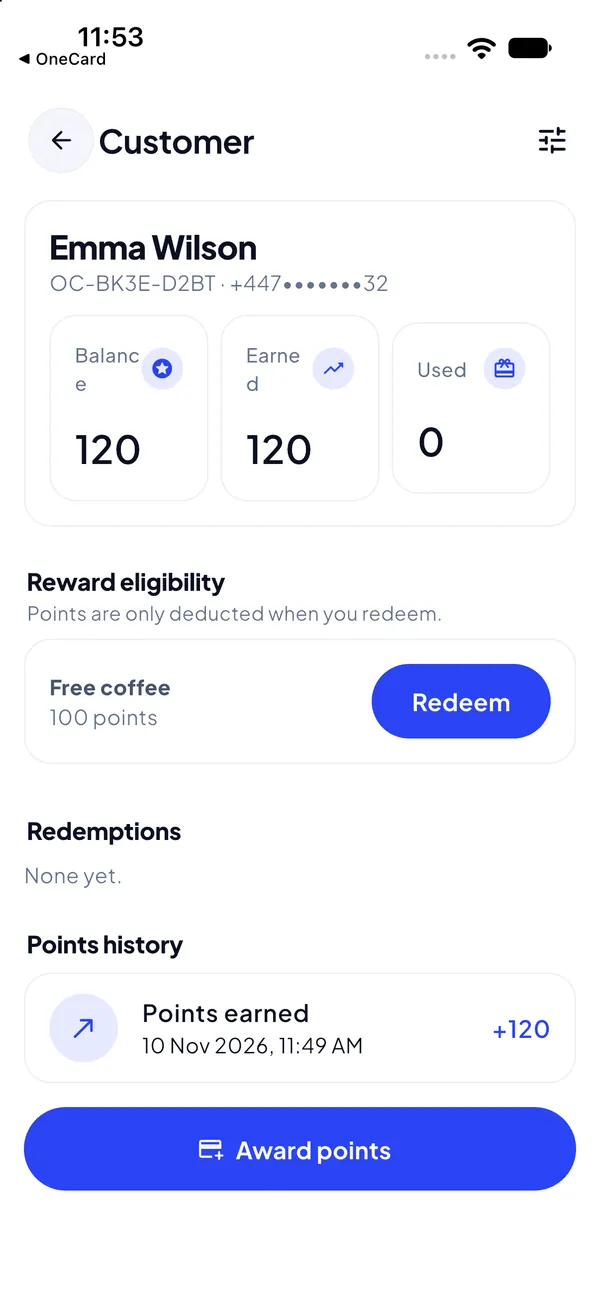
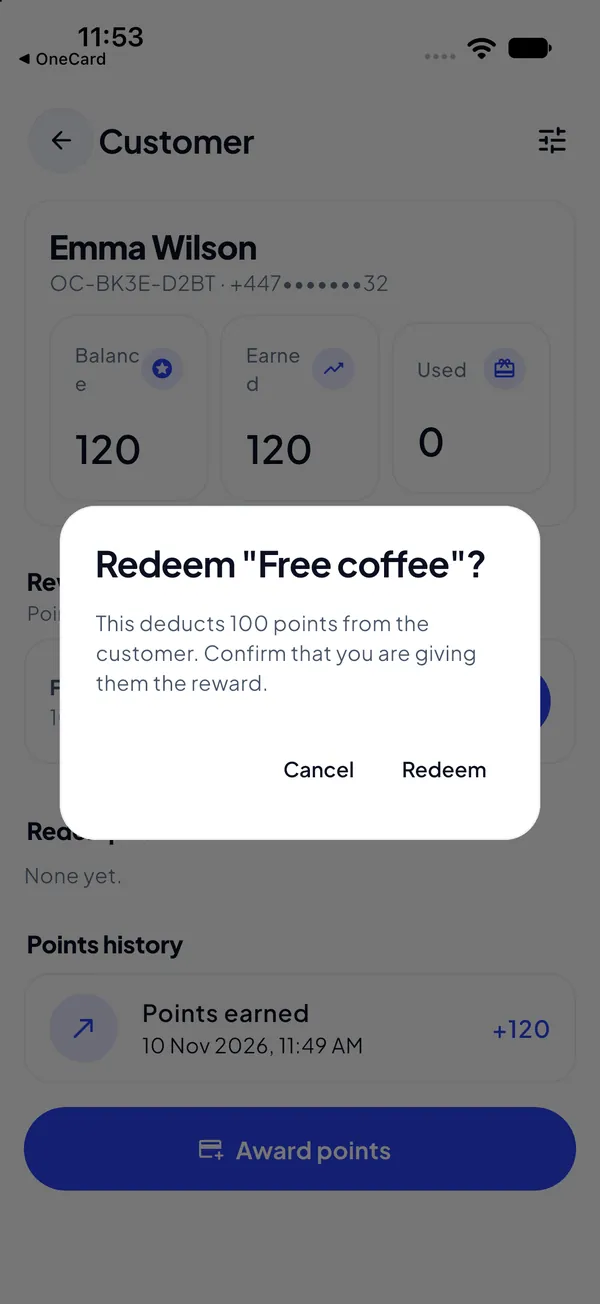
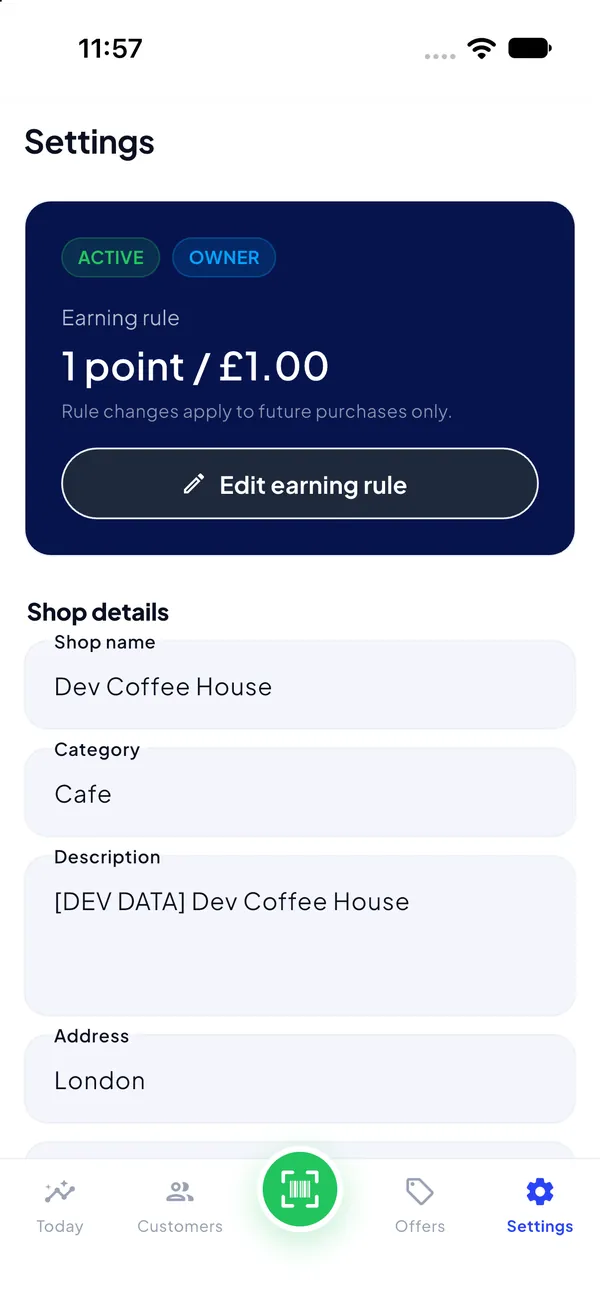
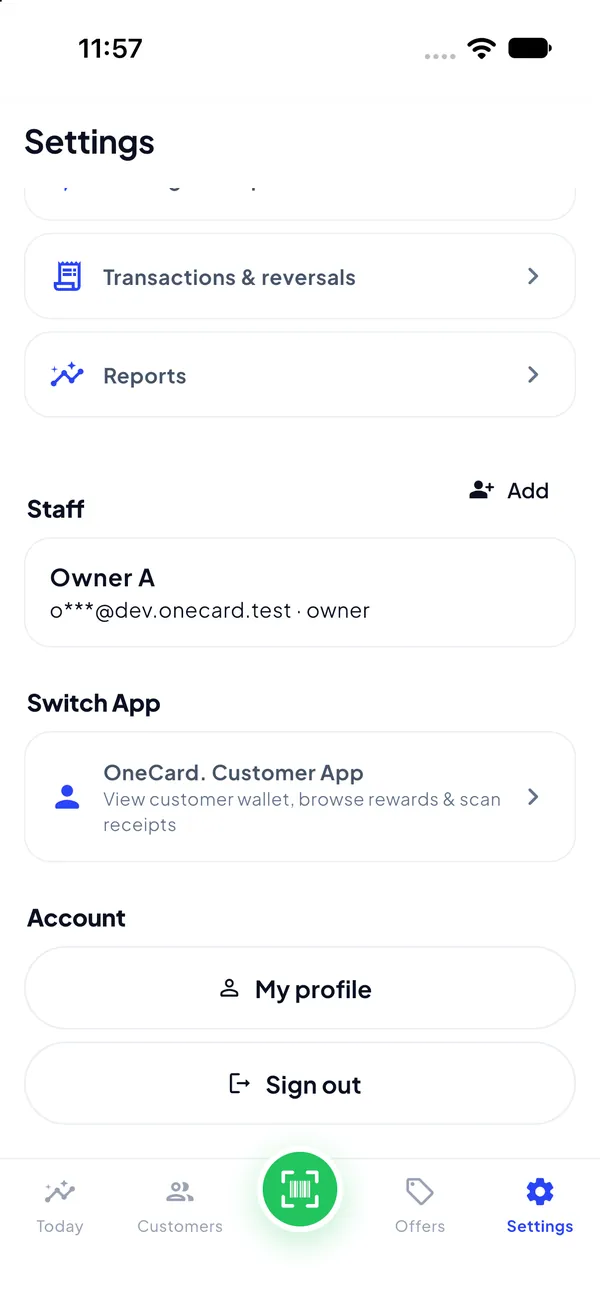
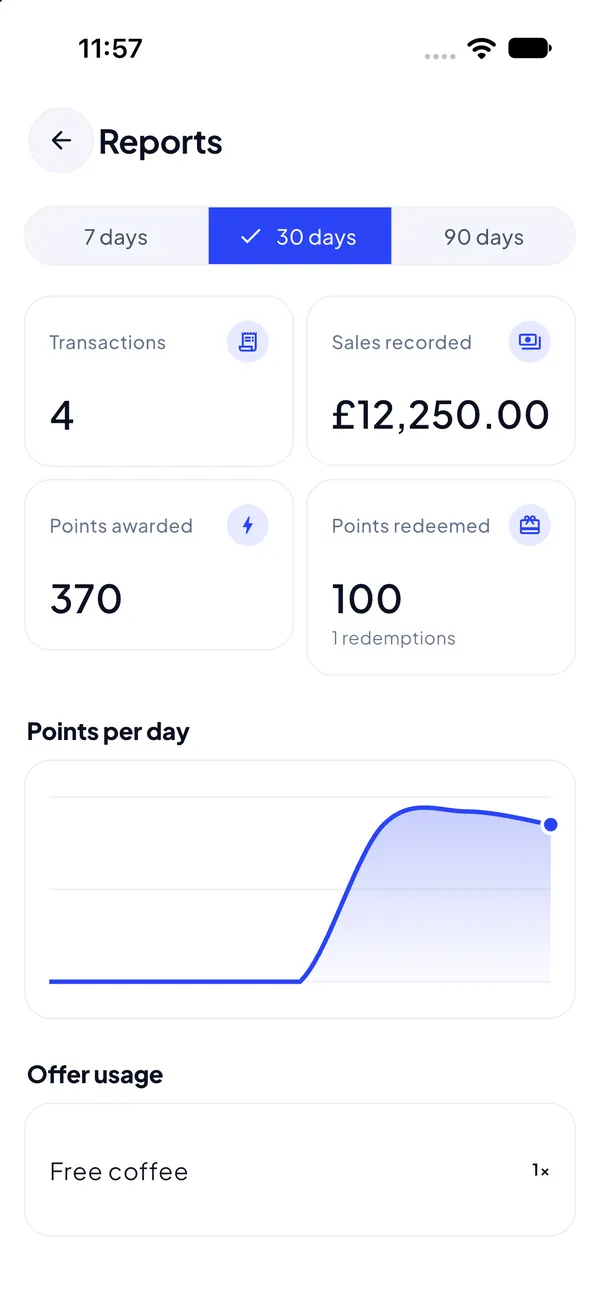
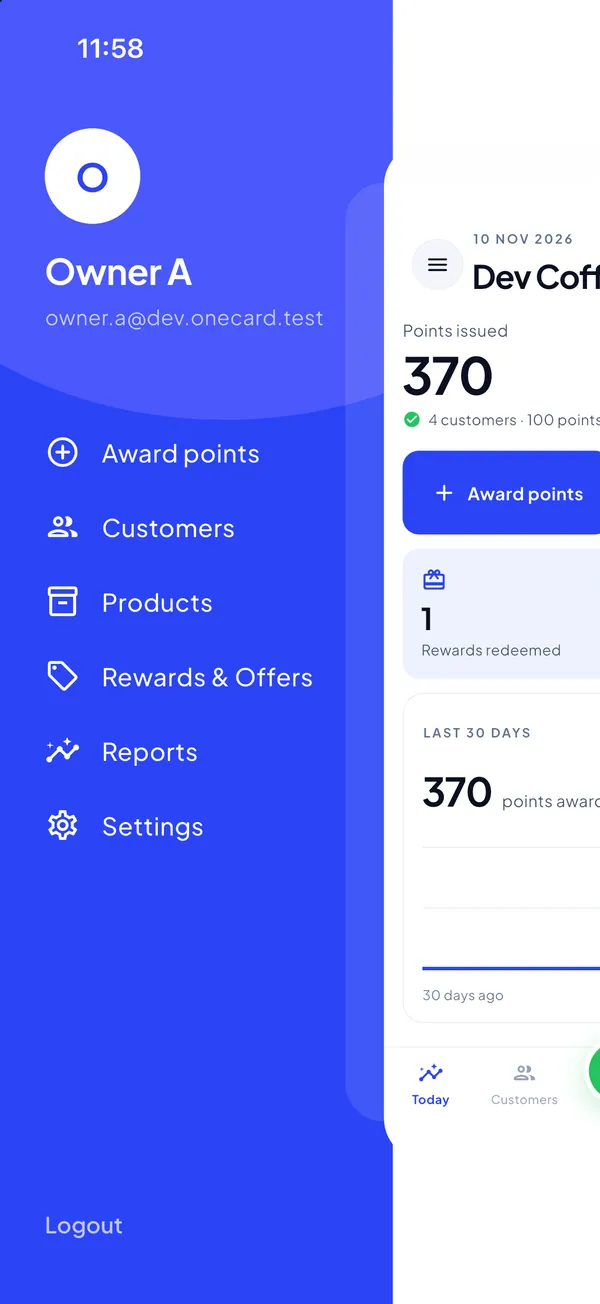
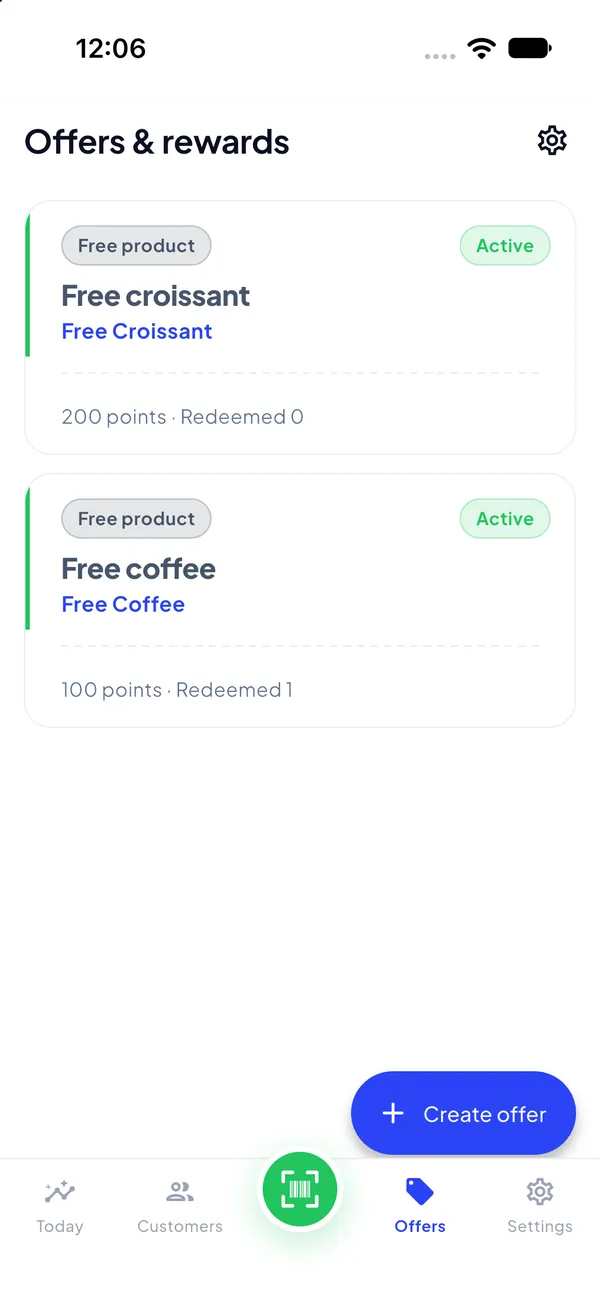
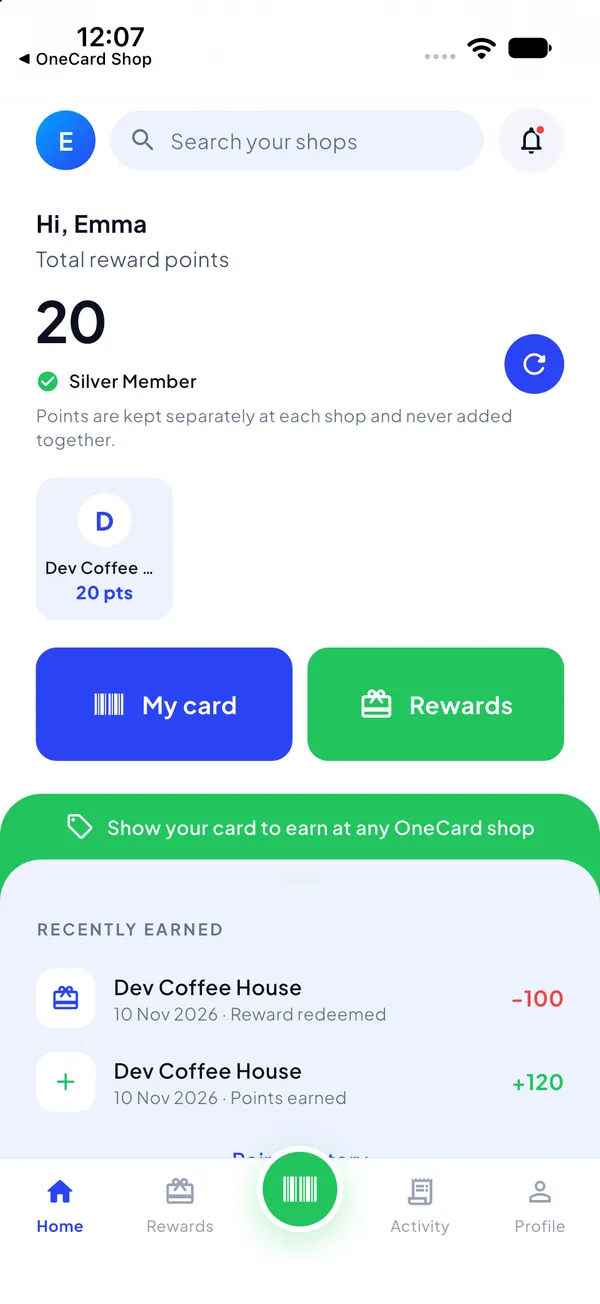
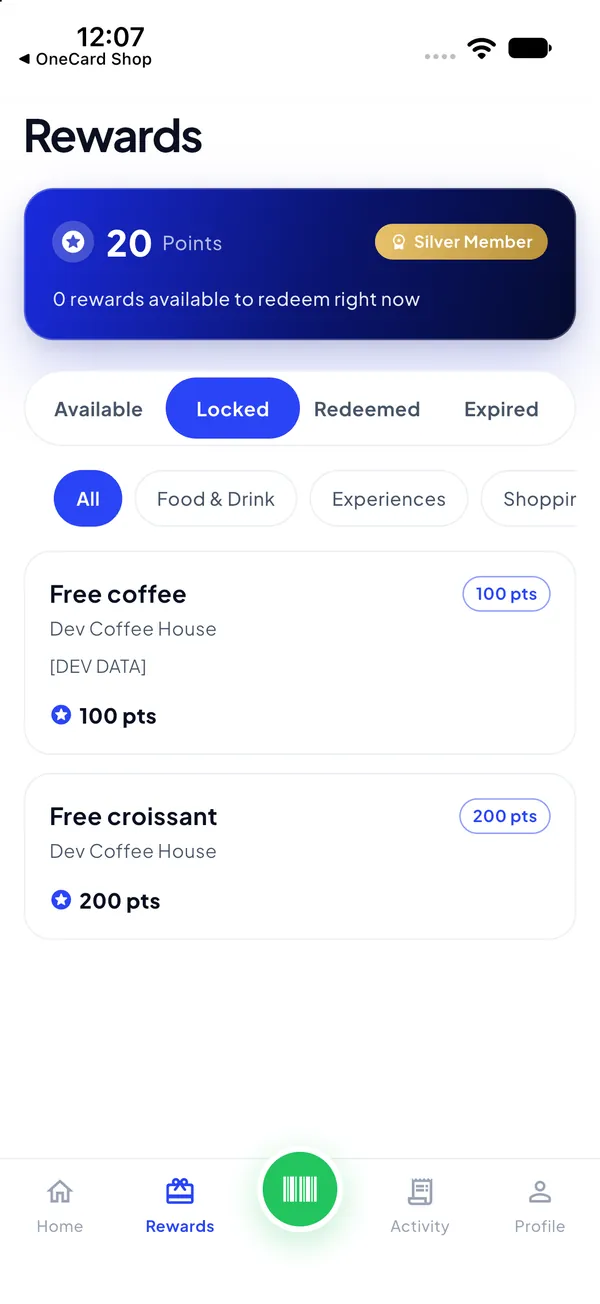
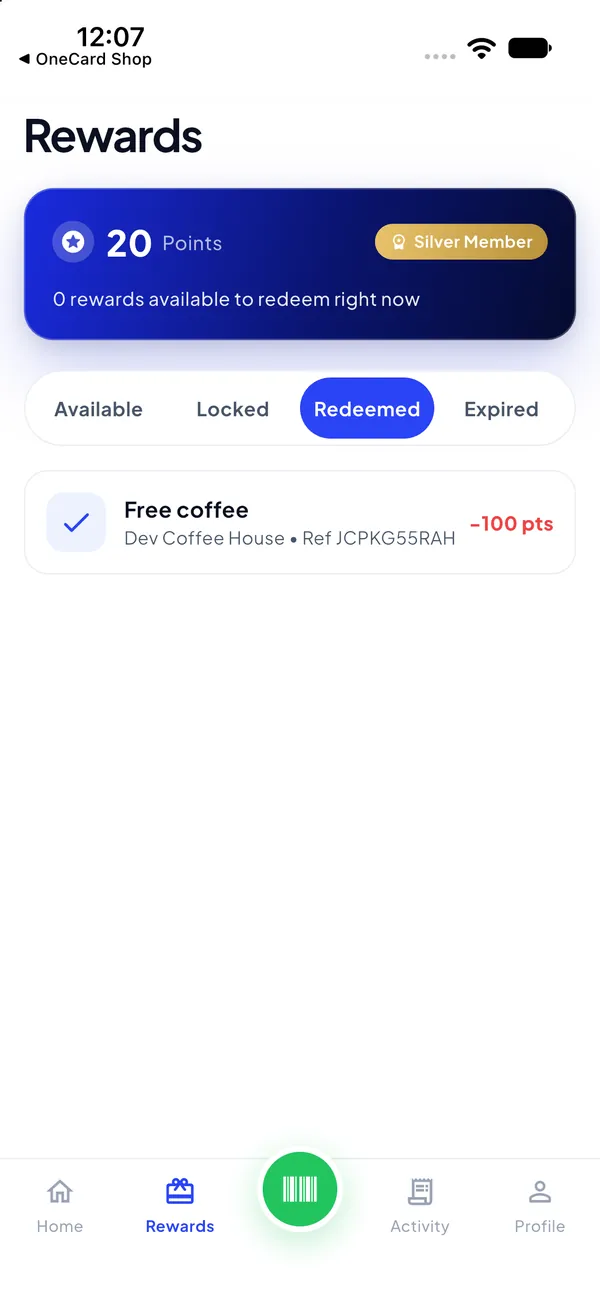
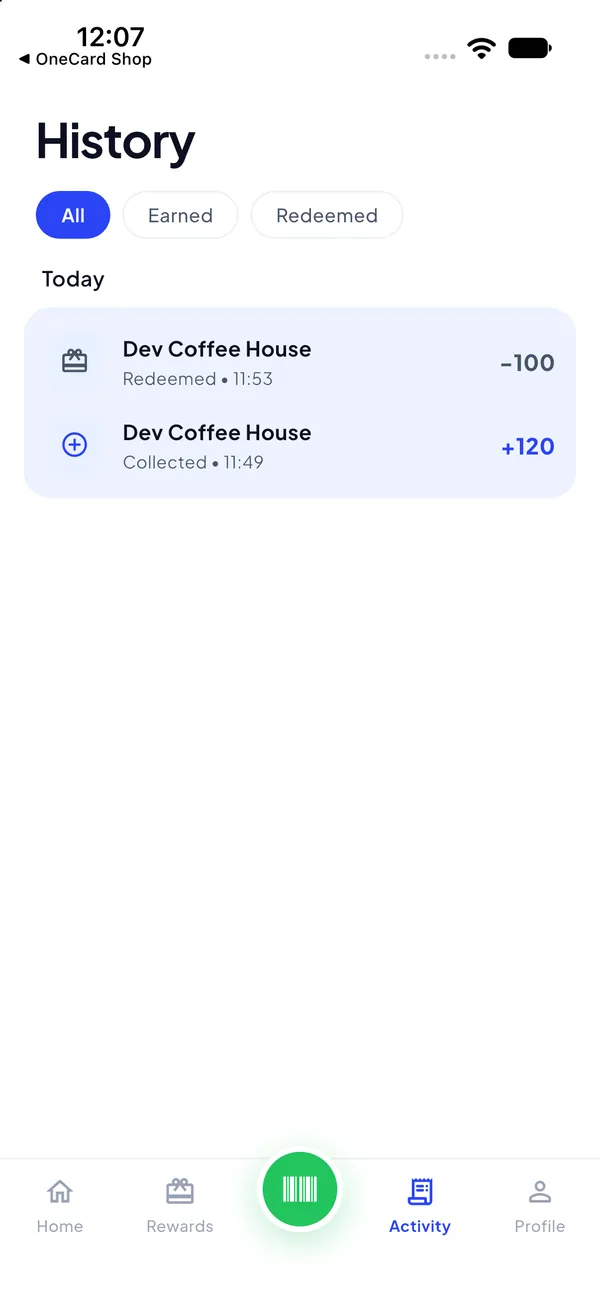
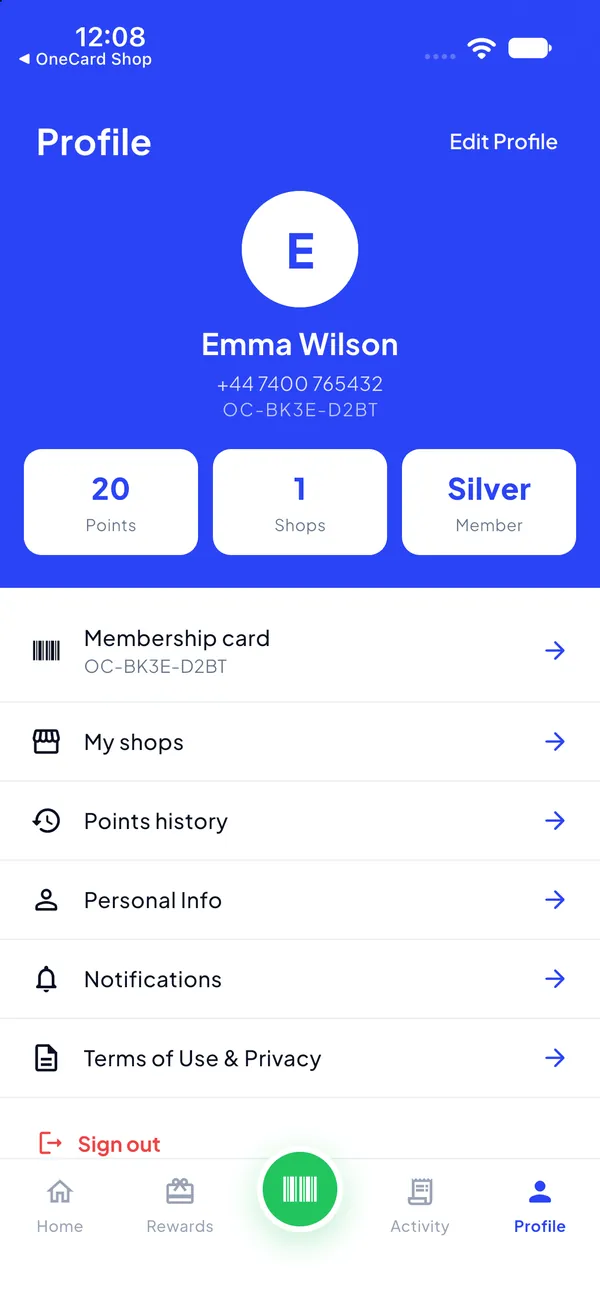
Emma signs up, Dev Coffee House scans her card for the first time, she earns 120 points for a £120 spend, unlocks a free coffee and redeems it. Narrated, with both apps side by side in the story.
Loyalty demo. Welcome to OneCard: one loyalty card for every local shop. In this demo, on an iPhone 17, you'll see the complete flow across both apps: the OneCard app for customers, and OneCard Shop for shop owners and their staff.
Customer app. Part one. A new customer, Emma, opens the OneCard app.
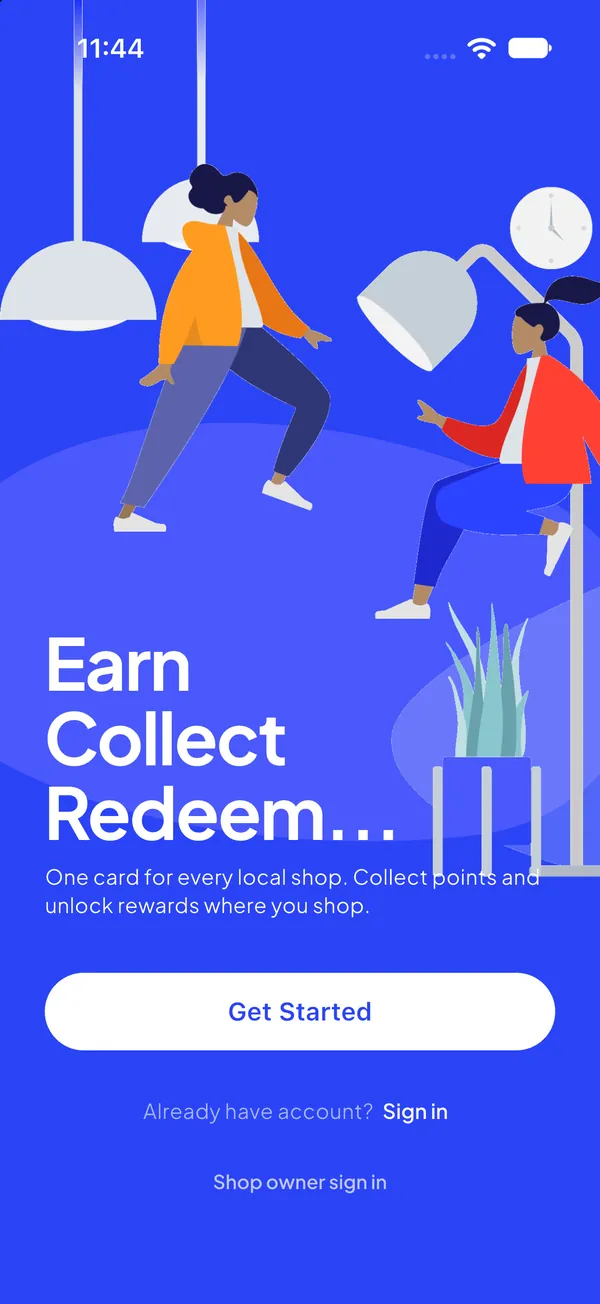
Customer sign-up. She taps Get Started and enters her UK mobile number. There's no password. OneCard texts her a six digit code, and she types it in. On the last step she adds her name and city, and accepts the terms. Her account is ready. Her home screen is empty for now, because no shop has scanned her card yet. There's no shop directory: a shop appears only after it scans her card.
Membership card and side menu. This is her digital membership card. The barcode holds only an opaque card number, never personal details. Tapping her avatar opens the side menu.
Shop app. Part two. The shop owner of Dev Coffee House opens OneCard Shop.
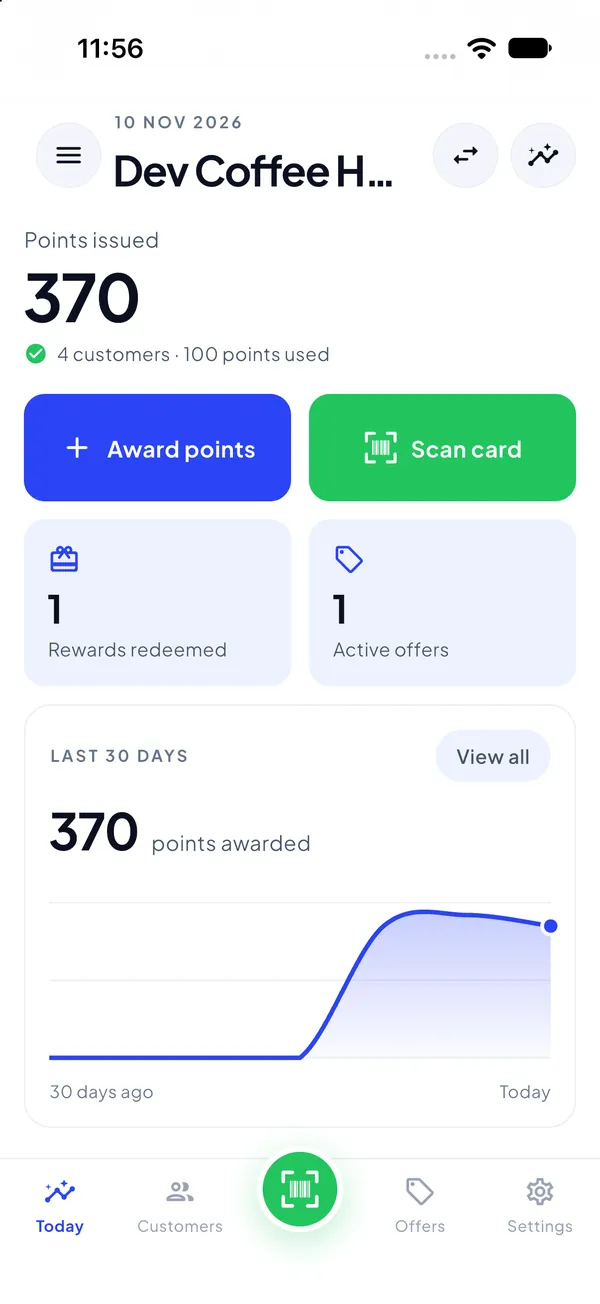
Shop sign-in and Today dashboard. Staff sign in with email and password. The Today dashboard shows points issued, customers, rewards redeemed, active offers, and the last thirty days.
Award points (first scan enrols the customer). Emma spends one hundred and twenty pounds. The cashier taps Award points and scans her barcode, or types her card number. On this first scan, Emma automatically becomes a customer of Dev Coffee House. The cashier enters the amount, and taps Award points. The server calculates one hundred and twenty points, and her free coffee reward unlocks straight away.
Points arrive in the customer app. Back in Emma's app, the points have arrived. Dev Coffee House now shows in her shops, with one reward ready. In Rewards, the free coffee is available, and she shows her card at the till to redeem it.
Points by shop. Her card screen now shows points by shop. Every shop keeps its own separate balance.
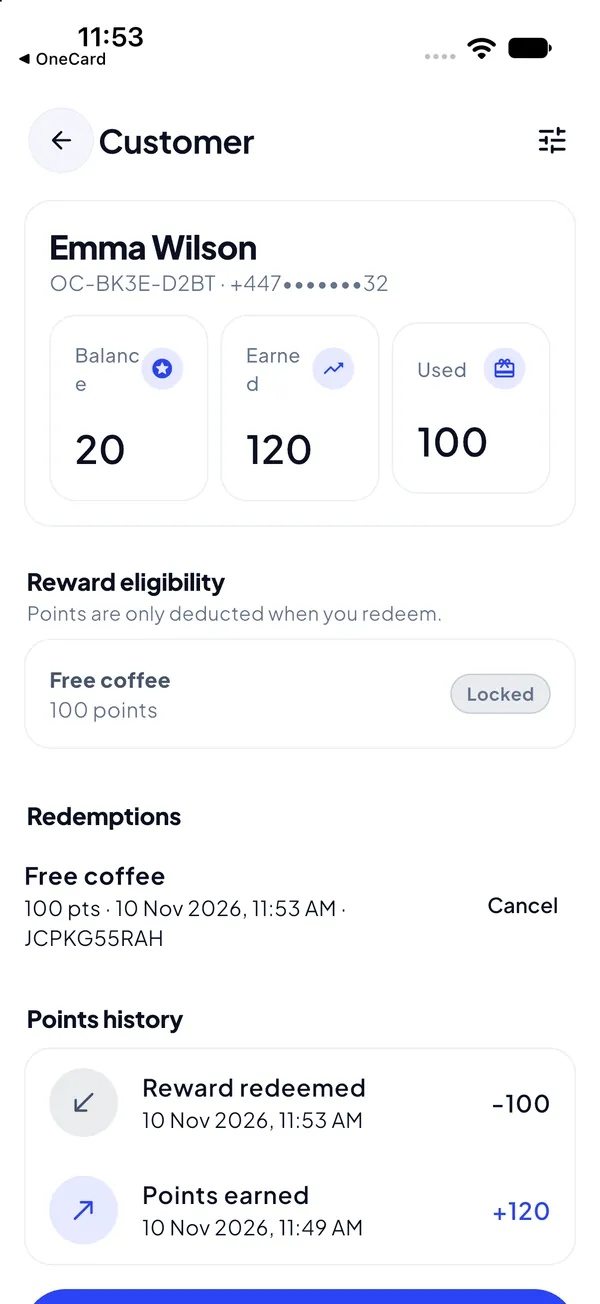
Redeem a reward at the till. At the till, the cashier opens Emma's record, taps Redeem on the free coffee, and confirms. One hundred points are deducted, with a reference for the receipt.
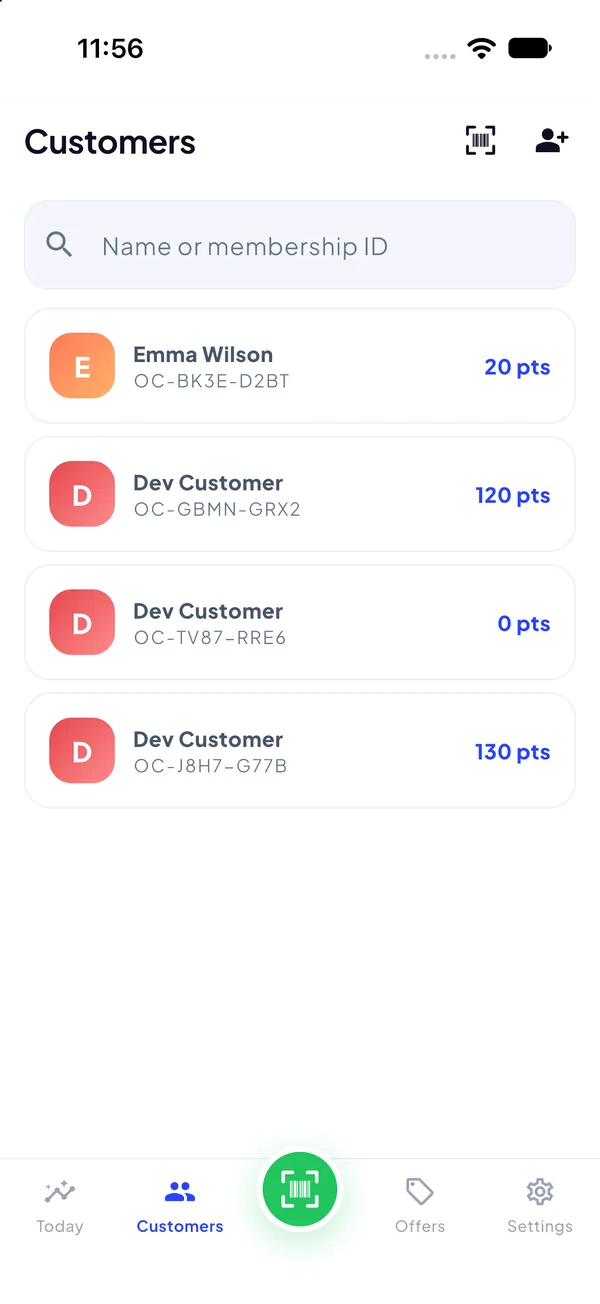
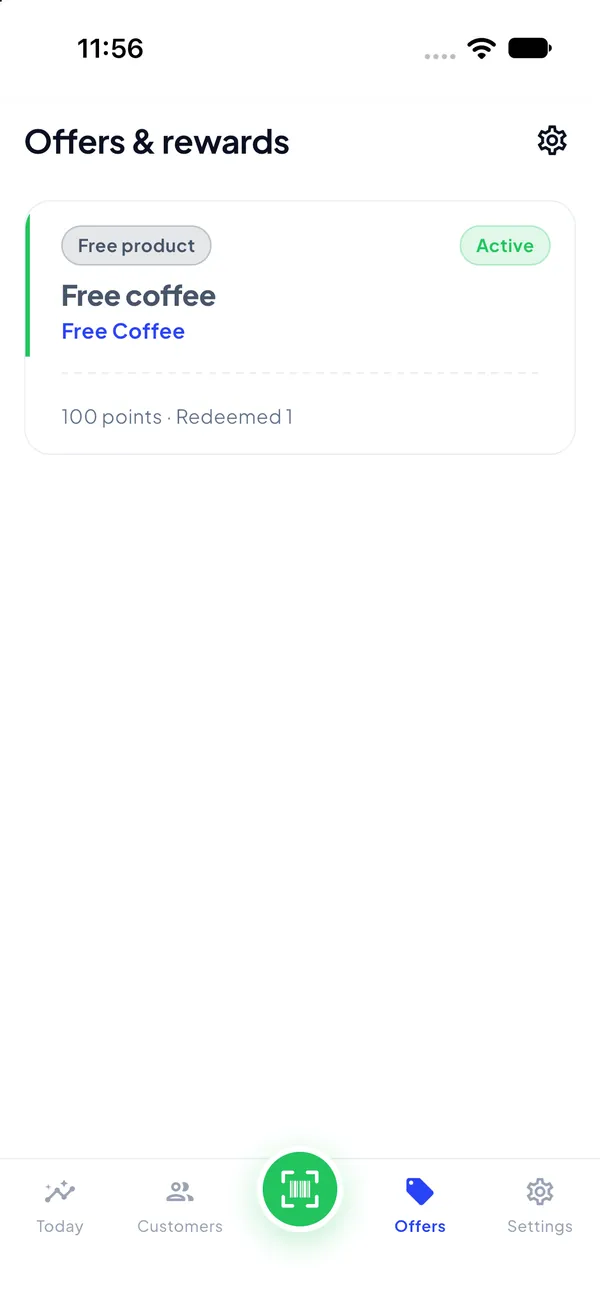
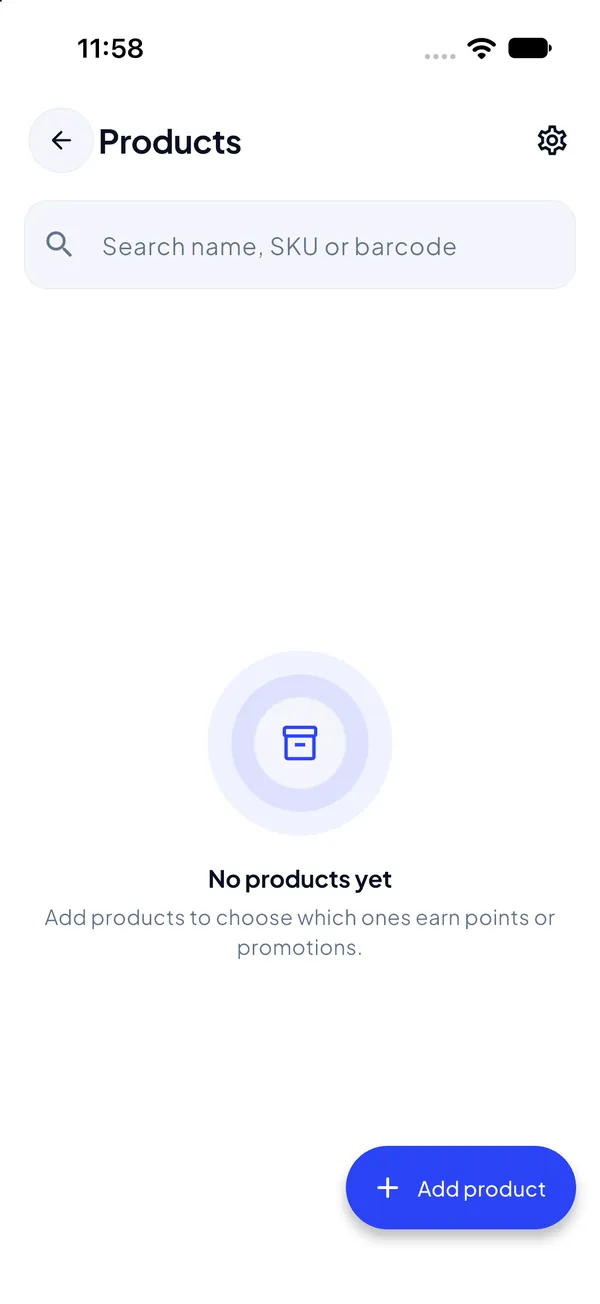
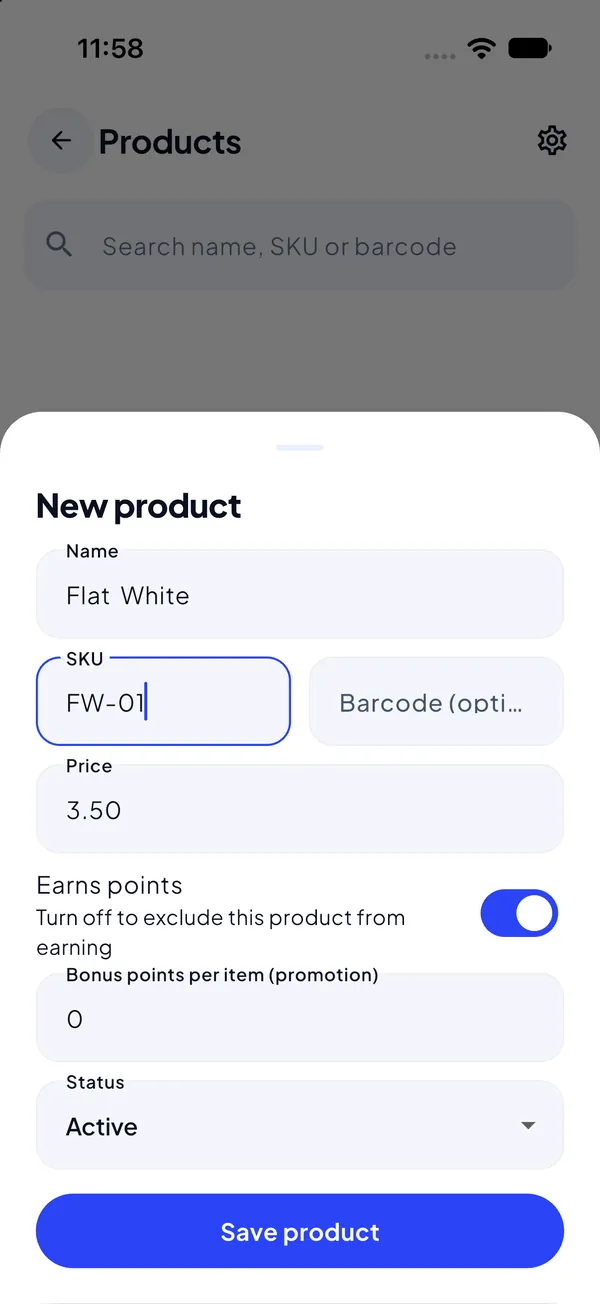
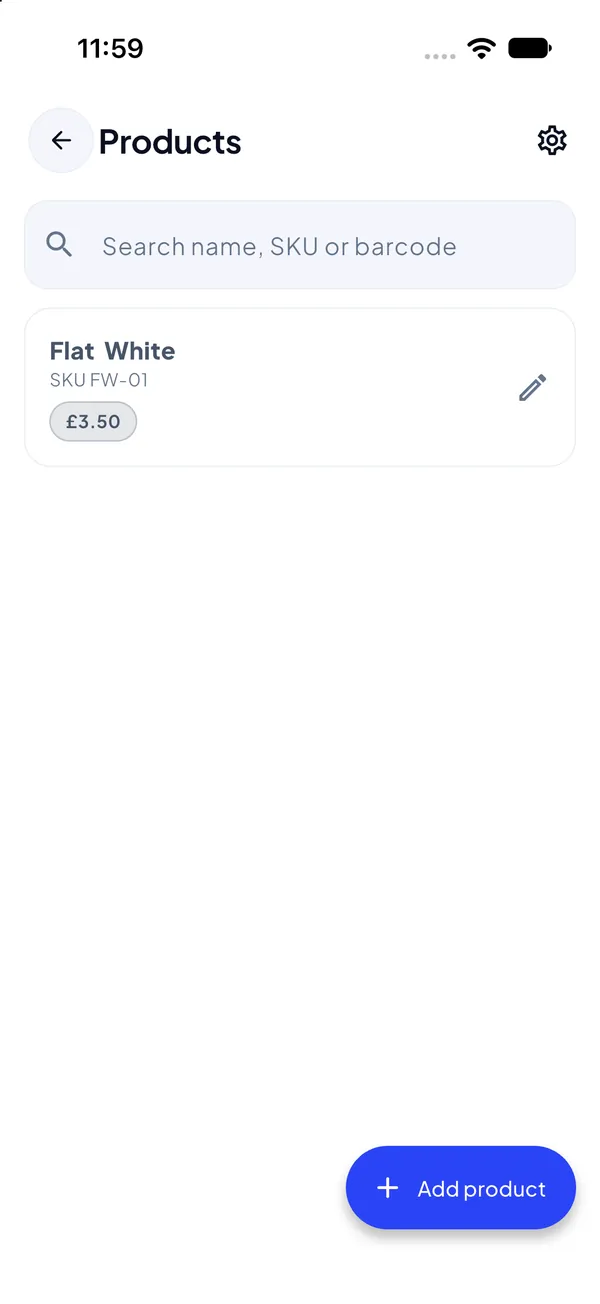
Shop app tour. Back on the Today screen, the numbers have updated: three hundred and seventy points issued, and one reward redeemed. The Customers tab lists everyone who shops here, with their balances, and Emma is at the top. Offers shows every reward and how often it has been used. In Settings, the owner can change the earning rule, currently one point per pound, edit the shop details, add staff, and open reports with sales, points awarded and points redeemed. The side menu opens Products, where the owner adds a flat white at three pounds fifty that earns points.
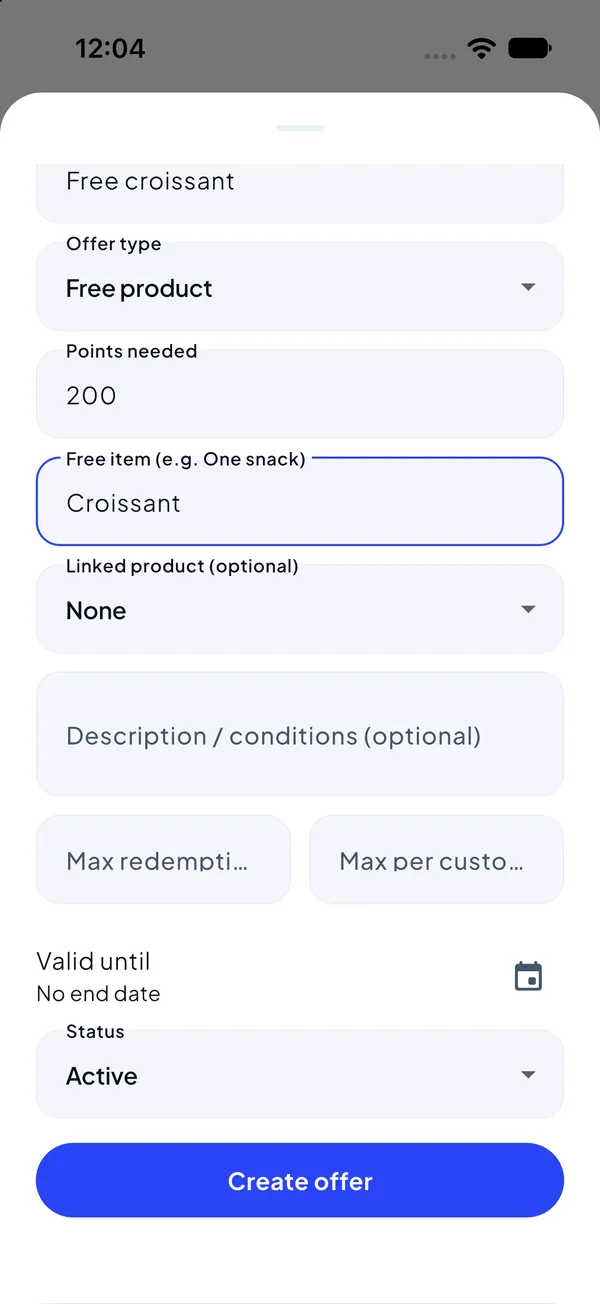
Create a new offer. Creating a new reward takes seconds. The owner names it free croissant, sets two hundred points, and taps Create offer. It's live for every customer straight away.
Back to Emma. Part three. Emma opens her app again.
Customer balance, rewards and history. Her balance is now twenty points. The new croissant reward shows as locked until she reaches two hundred points. The redeemed coffee is listed with its reference, her history shows every visit with the time, and her profile sums it all up.
One card. Every local shop.. OneCard. One card, for every local shop. Thanks for watching.
Yes. The OneCard app is free to download and use. You collect points and rewards from the shops you visit.
No. Each shop runs its own scheme, so points you earn at a shop are spent at that shop. Your app shows every balance in one place.
No. You sign in with your UK mobile number and a 6-digit code sent by text message.
Look for OneCard at the counter, or simply ask. A shop appears in your app as soon as it scans your card for the first time.
Only shops you have visited, and only your name, a masked phone number and your points and history with that shop. See our privacy policy.
Your points belong to your account, not your phone. Install OneCard on the new phone and sign in with the same mobile number.
OneCard works with just a phone, and tills can connect through the OneCard POS API. If your till supplier has not connected yet, ask them to request access.
Please get in touch and we will talk you through plans for your shop.
For iPhone and Android. Shops: download OneCard Shop from the same stores.